Google Maps Heatmap Reports
Free Google Maps ranking heatmaps
See where your business ranks, neighborhood by neighborhood. Check up to 3 keywords across your service area, spot weak rankings, and save a report you can compare over time.
Anyone can run 5 free heatmap audits a month · Partners get $100/mo in credits

- $100/mo in credits
- Included for Agency Partners
- 5 free a month
- For anyone, with no credit card
- 9+ styles
- Your colors and icon style on client heatmaps
- About a minute
- Per report, saved as a PDF and emailed
The short answer
What is a geo-grid rank tracker?
A geo-grid rank tracker checks where a business ranks on Google Maps from many points across its service area, then colors each point on a map: green where it ranks well, red where it doesn’t. Merchynt’s heatmap reports cover up to 3 keywords and finish in about a minute. Agency Partners get $100 a month in heatmap credits and can brand the heatmaps in their client reports.
| Built for | Agencies showing prospects and clients where they rank |
|---|---|
| What it checks | Google Maps rank at each point of a grid across the service area, for up to 3 keywords |
| Send it as | A grey-label link or an unbranded PDF |
| Branding | 9+ heat map styles and your color for each ranking range in client reports |
| Included | $100/mo in heatmap credits with the Agency Partner Program |
Why agencies use it
One search doesn’t tell you how your whole city sees you.
Your Google Maps position can change from one neighborhood to the next. A geo-grid report makes those differences visible, whether you’re checking your own business or showing a prospect their local rankings.
See every neighborhood
Rank at every point across the service area, so you can show exactly which areas a business is missing.
Send it before the call
Share a grey-label link or an unbranded PDF with a prospect, with no Merchynt branding on it.
Prove progress to clients
Paige client reports put the baseline heatmap next to the latest one, so the change from red to green is easy to see.
How it works
A heatmap in four steps
- 1
Find the business
Search for the Google Business Profile you want to check. It needs a public address.
- 2
Pick up to 3 keywords
Choose suggested keywords or add your own. Use ones that bring up Google Maps results.
- 3
Set the area
Select the part of the city you want to audit.
- 4
Share the report
The report is ready in about a minute. Send the grey-label link or the PDF.
Read your results
What do the colors and numbers mean?
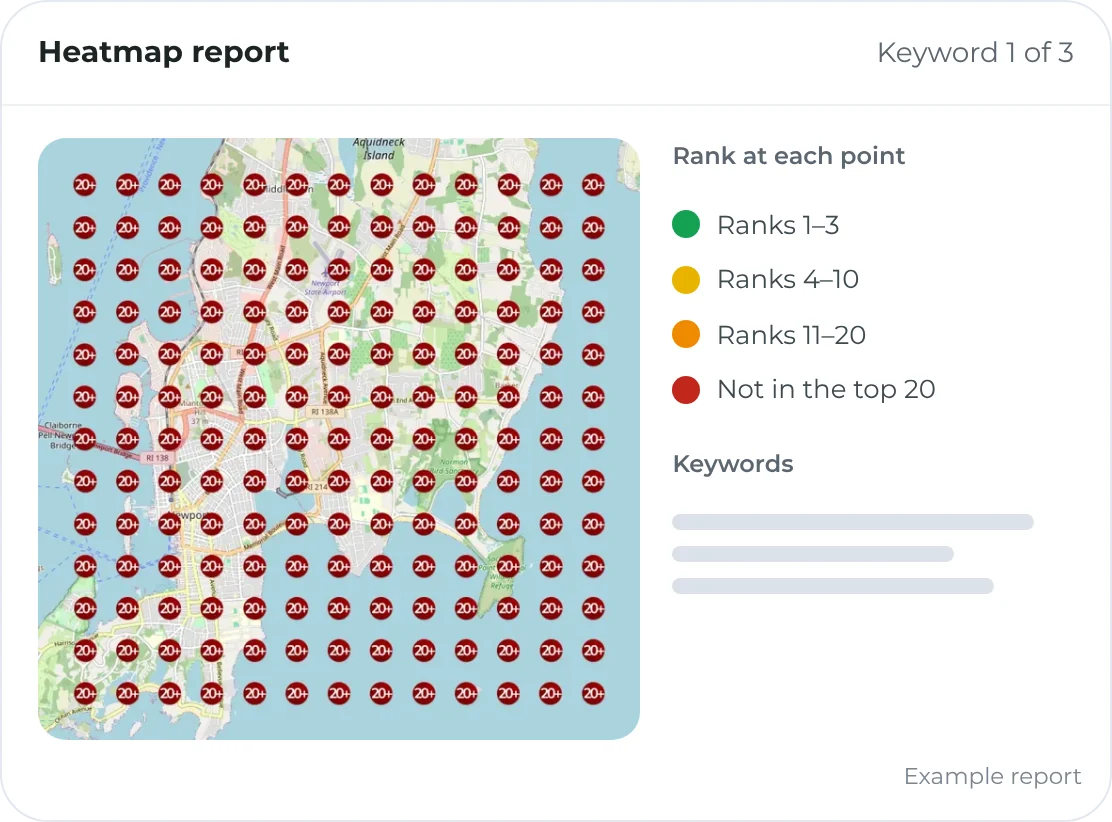
Each pin is a different search location. The number is your Google Maps position for the selected keyword at that spot—not one ranking for your entire city.
- Strong rankings
- Green pins show areas where you rank well. Check the number to see your exact position.
- Weaker rankings
- Red pins show areas where you rank lower. Look for clusters of weak spots within the area you actually serve.
- Your report’s legend
- Agency colors can be customized. Always use the report’s legend and pin numbers, not color alone.
A heatmap is a snapshot, not a ranking guarantee. Compare the same keywords and area over time. A red map alone doesn’t explain the cause; check the keyword and audit area before changing your profile.
From finding weak spots to doing the work
The heatmap shows the gap. Paige handles the ongoing local SEO.
Checking rankings doesn’t change them. Paige automates Google Business Profile optimization, posts and review responses, then helps you follow progress with baseline and latest heatmaps in client reports.
Want to understand what needs attention first? Get a Google-connected profile audit. Ready to delegate the work? Meet Paige.
Heat map stylesPartners
Heatmaps that look like they came from your agency
In White Label Settings, partners pick a heat map style for client reports and set the color used for each ranking range.
9+ heat map styles
- Circles
- Squares
- Hexagons
- Ovals
- Stars
- Teardrops
Your color for each ranking range
- Ranks 1–3Your primary color
- Ranks 4–10Your secondary color
- Ranks 11–20Any color
- Not in the top 20Black instead of dark red
Style examples. Style changes apply to future reports.
What’s included
Everything in your heatmap reports
For prospects and for clients.
Geo-grid rank reports
Google Maps rank at every point of the grid, green for strong rankings and red for weak ones. Client reports use a 13 × 13 grid.
Up to 3 keywords per report
Pick suggested keywords or add your own.
Grey-label sharing
Send prospects a link with no Merchynt branding, or an unbranded PDF.
9+ heat map stylesPartners
Circles, squares, hexagons, ovals, stars, teardrops and more for client reports.
Your color for each rank rangePartners
For example, your primary color for ranks 1–3 and black instead of dark red past 20.
Baseline vs. latest
Paige client reports put the signup heatmap next to the newest one, with past months a click away.
AI visibility line
Each client heatmap also shows where the business ranks on AI platforms.
Competitor drill-down
In the new report version, open any pin to see the competitors ranking there.
Good to know
- Anyone can run 5 free heatmap audits a month with no credit card.
- The heatmap audit tool needs a public address, so it doesn’t work for service-area businesses that hide theirs.
- Style changes apply to future reports only. Choose your style before onboarding clients so before-and-after maps match.
- Styles apply automatically to businesses onboarded since June 8, 2026. Earlier clients can be moved over on request, which takes at least 5 business days.
- Changing a client’s audit area later resets their baseline.
Part of the Agency Partner Program
One membership. 16 perks. $100 a month.
Heatmap reports are one of 16 perks partners get for one flat price: branded lead-gen tools, live coaching every week, and 50% off citations and reputation management.
Join the Agency Partner ProgramCancel anytime · Paige software is billed separately
Pairs well with
Partner perks that work with this one
White label SEO audit tool
Put a branded local SEO audit on your site, or send audits cold with no access needed.
Learn more Win more clientsMaps Rank Analyzer extension
A branded Chrome extension that shows the leads going to competitors on Google Maps.
Learn more Win more clientsLocal SEO leads (Sam)
A daily list of local businesses to call, with proven scripts and rebuttals.
Learn moreQuestions
Heatmaps and geo-grid rank tracking, answered
What is a geo-grid rank tracker?
A tool that checks a business’s Google Maps rank from many points across its service area and colors each point on a map. Merchynt’s heatmap reports cover up to 3 keywords, and Paige client reports use a 13 × 13 grid.
How much does a heatmap report cost?
Anyone can run 5 free heatmap audits a month with no credit card. Agency Partners get $100 a month in heatmap credits with their membership, and the monthly heatmaps in Paige client reports don’t use credits.
How long does a report take?
About a minute. You can save it as a PDF, and it’s emailed to you within minutes.
Can I brand the heatmaps?
Prospect reports go out as a grey-label link or an unbranded PDF. In Paige client reports, partners can choose from 9+ heat map styles and set the color for each ranking range.
How big should a client’s audit area be?
Paige client reports use a 13 × 13 grid. For a typical city, start around 3.25 × 3.25 miles and stay under 6.5 × 6.5. Use about 1.1 miles in dense cities like New York, and up to 9.75 miles in rural areas.
Does it work for service-area businesses?
The heatmap audit tool needs a public address on the Google Business Profile, so it doesn’t work for service-area businesses that hide their address.
Why is my heatmap all red?
Usually the audit area is too large, or the keyword doesn’t bring up Google Maps results. Try a smaller area, and search the keyword on Google first. If no map of local businesses appears, try a more local version, like adding “repair” or “service.”
Start mapping your prospects’ rankings.
Join the Agency Partner Program for $100 a month in heatmap credits, branded heat map styles and every other partner perk. New partners can join Ty Burket’s welcome webinar every Monday at 1pm ET.
Join for $100/moCancel anytime · Paige software is billed separately