Why GMB Listing Optimization Is Your Secret Weapon for Local Dominance
GMB listing optimization is the process of enhancing your Google Business Profile to maximize visibility in local search results, drive more customer actions, and ultimately grow your business.
In plain terms, it means:
- Setting up your profile correctly
- Filling out every detail thoroughly
- Keeping it active with posts, photos, and reviews
- Using data to improve your results over time
Quick Answer: Essential GMB Optimization Steps
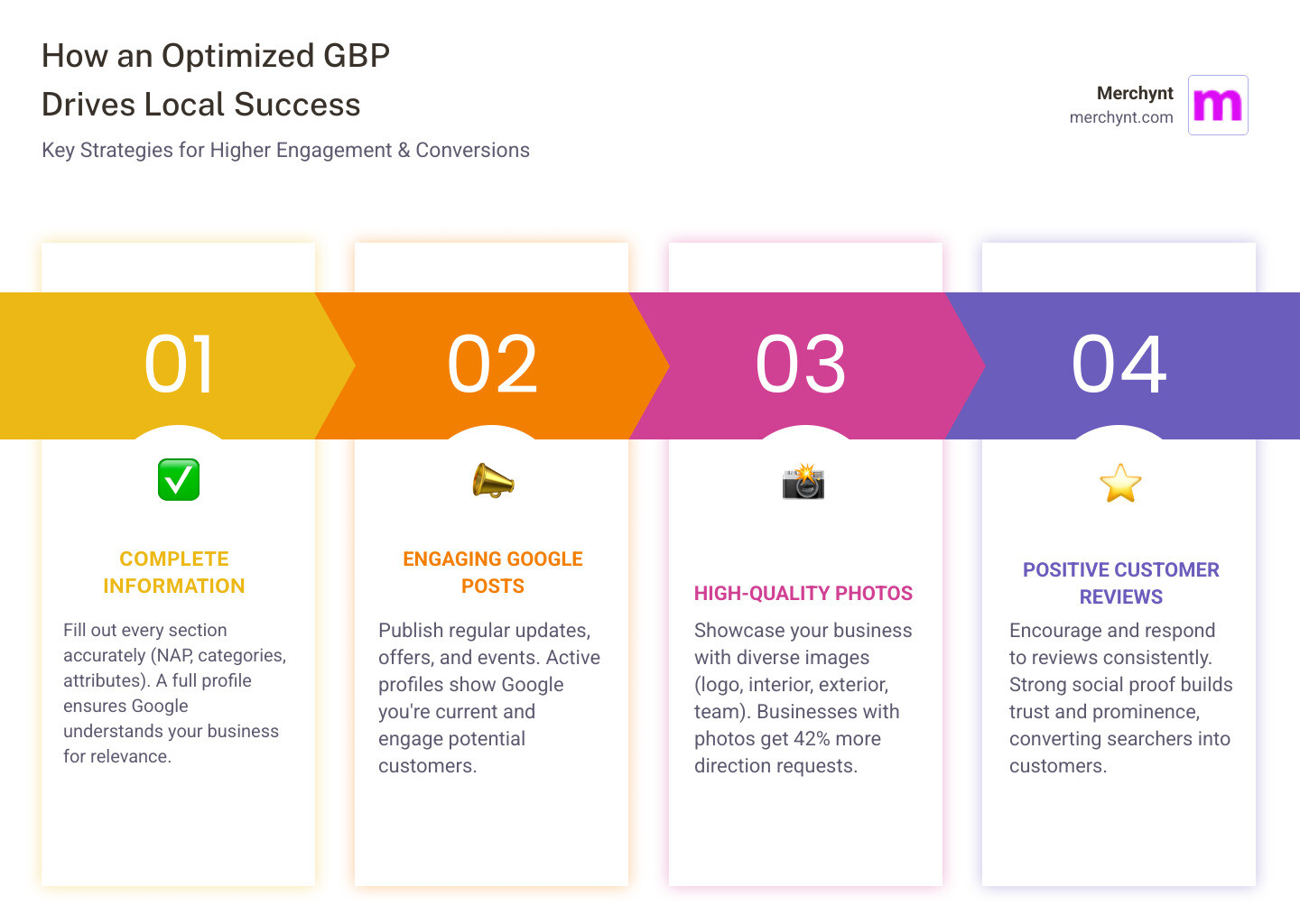
- Claim and verify your Google Business Profile listing
- Complete every section with accurate NAP (Name, Address, Phone) information
- Choose the right categories (primary and secondary) for your business
- Upload high-quality photos regularly (logo, cover, interior, exterior, team)
- Write a keyword-rich description using all 750 characters available
- Collect and respond to customer reviews to build trust and prominence
- Post updates weekly using Google Posts (offers, events, updates)
- Optimize your services and products sections with detailed descriptions
- Answer questions in the Q&A section proactively
- Track performance using GBP Insights and adjust your strategy
Your Google Business Profile is often the first thing potential customers see when they search for businesses like yours. A large majority of Business Profile views come from "findy" or "findy" searches, meaning people searching for a product or service (not your business name specifically) are finding you through your GBP.
Around 46% of all Google searches show local intent, and your GBP is the gateway to capturing that traffic. When someone searches "plumber near me" or "best pizza in Chicago," Google doesn't just show websites first. It shows the Local 3-Pack (the map with three business listings) before most organic results. If your profile isn't optimized, you are effectively invisible to a huge portion of searchers.
A BrightLocal study found that the typical Business Profile only averages 1,260 views per month, with fewer than 5% of viewers taking action (calling, visiting your website, or requesting directions). Many profiles are incomplete, outdated, or poorly optimized, so those views rarely turn into customers.
On the flip side, businesses with optimized profiles get significantly more direction requests and website clicks than those without. An optimized GBP doesn't just improve your rankings; it converts searchers into customers.
Many businesses struggle with GMB listing optimization because it requires ongoing attention, technical know-how, and a clear understanding of Google's local ranking factors (relevance, distance, and prominence). That is exactly where Merchynt's tools change the game.
I'm Justin Silverman, founder of Merchynt. My team and I have helped over 10,000 small businesses and agencies dominate local search through advanced GMB listing optimization strategies. In 2024, I launched Paige, the world's first fully automated, AI-powered local SEO platform, built specifically to make GMB listing optimization effortless and effective.
In this playbook, you'll see exactly how to set up and optimize your Google Business Profile the right way, and how to put most of the work on autopilot using:
- The free GBP Audit Tool by Paige – to diagnose issues and opportunities
- Paige – Merchynt's fully automated AI SEO tool that fixes the issues the audit finds and manages your GBP for you
- The ProfilePro Chrome extension – to easily optimize content and visuals
- Merchynt's Heatmap Audit Tool – to see how you rank across your local area
By the end, you'll have a clear, practical system to turn Google searchers into paying customers.
What is Google Business Profile and Why Is It Your Most Powerful Local SEO Tool?
Google Business Profile (GBP), formerly known as Google My Business (GMB), is a free tool from Google that lets you manage how your business appears in Google Search and on Google Maps. It is essentially your digital storefront, giving potential customers key information at the moment they are deciding who to contact or visit.
When someone searches for a product or service "near me," Google wants to show:
- Businesses that offer what the searcher needs (relevance)
- Businesses that are close by (distance)
- Businesses that look trustworthy and well known (prominence)
Your GBP listing is the main source Google uses to make those decisions.
Local intent searches have exploded, with over 1.5 billion "near me" searches made monthly on Google. An optimized GBP directly impacts how often you appear in the "Local Pack" (the map results) and on Google Maps. Since most searchers choose a business from the first page of local results, not showing up there means you are missing a huge opportunity.
Many of these searches end without a click to a website. Instead, people act directly from the search results: they call, tap for directions, or view your photos and reviews. This is known as a "zero-click search." A strong, complete GBP turns those zero-click searches into real-world actions for your business.
Most businesses never fully optimize their profiles, which is why the typical Business Profile only averages about 1,260 views per month and sees very low action rates. That is wasted potential.
Merchynt exists to fix this. The GBP Audit Tool by Paige gives you a free, instant, AI-powered analysis of your profile so you can see what is missing. Then Paige, Merchynt's fully automated AI SEO tool, implements the fixes for you and keeps your listing optimized over time—something no generic SEO platform or manual approach can match. Paige is built specifically for Google Business Profile management and local SEO, making it the most effective way to turn your GBP into a consistent source of calls, website visits, and in-store traffic.
Auditing and Setting Up Your Profile for Success
Before you dive into detailed GMB listing optimization, you need a clean, accurate foundation. That starts with claiming, verifying, and auditing your profile.
Claim and Verify Your Business
If you have not already done so, go to Google's Business Profile page and follow the steps to claim or create your listing. Verification confirms that you are authorized to represent the business, which makes Google more confident about showing your profile in search results.
Get Your NAP and Business Type Right
Next, focus on NAP (Name, Address, Phone Number) consistency. Your business name, address, and phone number should be exactly the same everywhere online:
- Your website
- Social media profiles
- Online directories
- Any local citations
Inconsistent details can confuse both Google and customers, and can hurt your local rankings.
Also consider your business model:
- Brick-and-mortar: Customers visit your physical location.
- Service-area business (SAB): You serve customers at their location.
If you are a service-area business and do not serve customers at your address, you should clear the street address from your listing and specify service areas instead. This removes your map pin but still keeps you visible in relevant local searches.
An unoptimized or inaccurate GBP can cost you a large share of potential local leads. Many local businesses get the majority of new customer inquiries from Google Search and Maps; if your profile is incomplete or incorrect, those leads go to competitors with better optimization.
Start With a Free AI-Powered Audit
To see exactly where you stand, begin with the free, instant GBP Audit Tool by Paige. This AI-powered tool from Merchynt scans your Google Business Profile and highlights:
- Missing or inconsistent information
- Weak or incomplete descriptions
- Category and attribute issues
- Gaps in photos, posts, and reviews
The GBP Audit Tool is the ideal entry point for identifying GMB listing optimization opportunities. Once you know what is wrong, you can either fix items manually or, much more efficiently, connect your profile to Paige.
Paige takes everything the audit uncovers and turns it into an ongoing optimization plan that runs automatically. Instead of juggling multiple tools or trying to remember every best practice yourself, you get a single, purpose-built platform that manages your GBP at a higher level than any generic SEO service or competitor software.
Merchynt's tools—starting with the GBP Audit Tool and powered by Paige—are the only solutions you need for comprehensive, continuous GMB listing optimization.
The Core Components of GMB Listing Optimization
Mastering Your Foundational Information
Once your profile is claimed and verified, optimizing your core information is the next step.
Primary and Secondary Categories:Your primary category should clearly describe your main business type. Google offers thousands of category options, so choose the most accurate and specific one available. For example, if you run a niche restaurant, selecting "Egyptian Restaurant" or "American Restaurant" is better than a generic "Restaurant." You can also add up to nine secondary categories to cover other services you offer.
These categories tell Google what your business is about and help match you with relevant searches. If you need help choosing them, see 5 Easy Ways to Find the Best Google Business Profile Categories.
Business Attributes:Attributes describe specific features of your business, such as:
- "Wi-Fi available"
- "Outdoor seating"
- "Wheelchair accessible"
Some attributes are objective (verified by Google), and others are more subjective based on user feedback. Adding all relevant attributes gives customers more reasons to choose you.
Business Hours:Accurate hours are essential. Many local searchers specifically look for opening times. Make sure to:
- Keep regular hours updated
- Add special hours for holidays or one-off changes
Also confirm that your business name and address match your listings across the web. This consistency supports your local rankings.
Merchynt's tools, especially Paige, keep your foundational information accurate and consistent over time. Instead of logging in and editing details manually across different sites, Paige helps ensure your core data stays aligned—outperforming any piecemeal or manual solution.
Crafting Compelling, Keyword-Rich Content
Your GBP should clearly explain who you are, what you do, and why customers should choose you.
Business Description:Google lets you use up to 750 characters in your business description. Focus on:
- What you offer
- Who you serve
- What makes you different
- Your primary location(s)
Use important keywords naturally, especially your core services and city or area, but avoid keyword stuffing or overly promotional language. If you want help crafting a strong Unique Value Proposition, review How to Create a Unique Value Proposition.
Using the 'Products' Section:Even service businesses can use this section effectively. You can:
- List services as "products"
- Add clear descriptions and pricing where appropriate
- Highlight bestsellers or packages
Leveraging the 'Services' Section:For each service, you can add a description (up to around 300 characters). Use this space to:
- Explain what the service includes
- Integrate long-tail keywords (e.g., "emergency plumber in Chicago") naturally
This granular information helps Google understand your relevance for more specific local queries.
Paige automates a lot of this content optimization. It creates and refines keyword-rich, conversion-focused descriptions for your business, products, and services, giving you an advantage over competitors who rely on one-time manual edits or generic tools not built for GBP.
Visual Optimization: Best Practices for Photos and Videos
Strong visuals make your profile more attractive and can directly influence customer actions.
According to Google, businesses that add photos get 42% more requests for directions and more clicks to their websites than those without many photos.
Photo and Video Best Practices:
- Prioritize quality: Use clear, well-lit, real photos—avoid stock images.
- Show variety: Add your logo, a compelling cover photo, interior and exterior shots, team photos, and images of your products or services in action.
- Update regularly: Upload new photos consistently to signal activity to Google and keep your listing fresh.
- Consider geotagging: Embedding location data in your images can support local relevance. Learn more in Geotagging 101: How SMBs Can Use Photos and Videos to Rank Locally.
- Leverage video: Short clips, walkthroughs, or behind-the-scenes videos can help people quickly understand what your business is like.
For more detailed guidance on image optimization, see Image SEO Tips for 2025.
Paige and the ProfilePro Chrome extension make visual optimization much easier. Together they help you plan, optimize, and maintain a strong library of photos and videos, giving you a visual presence on Google that outperforms competitors using basic or irregular uploads.
Advanced Optimization: Engaging Customers and Building Prominence

The Power of Social Proof: Advanced GMB Listing Optimization Through Reviews and Q&A
Customer reviews are one of the strongest influences on buying decisions and a major local ranking factor. They:
- Build trust and credibility
- Provide fresh, keyword-rich content
- Signal prominence and popularity to Google
Role of Customer Reviews:Businesses that appear in the Local 3-Pack usually have a steady stream of recent, positive reviews and solid star ratings. Review volume, recency, and sentiment all matter.
Encouraging Reviews:Many customers are happy to leave a review when asked. You can:
- Share your unique review link via email or SMS
- Ask in person after a successful visit or service
- Add calls to action on receipts or follow-up messages
You can generate your review link following Google’s instructions here: Create a link for customers to write reviews.
Responding to Reviews:Replying to reviews shows you value feedback and actively engage with customers. It can also help your local SEO because it demonstrates ongoing activity and customer care.
- For positive reviews, thank the customer and highlight specific services or products mentioned.
- For negative reviews, stay professional, acknowledge the issue, and offer to resolve it.
For a step-by-step approach, read How to Master Google My Business Review Management in 5 Simple Steps. If you want help drafting thoughtful, on-brand responses quickly, see How to Respond to Google Reviews with AI.
Utilizing the Q&A Section:The Q&A area lets people ask questions about your business, and anyone can answer them. To keep it helpful and accurate:
- Set up alerts so you don’t miss new questions
- Answer promptly and clearly
- Proactively add your own frequently asked questions with answers
These FAQs can include important keywords and details, making your profile more useful to both customers and Google.
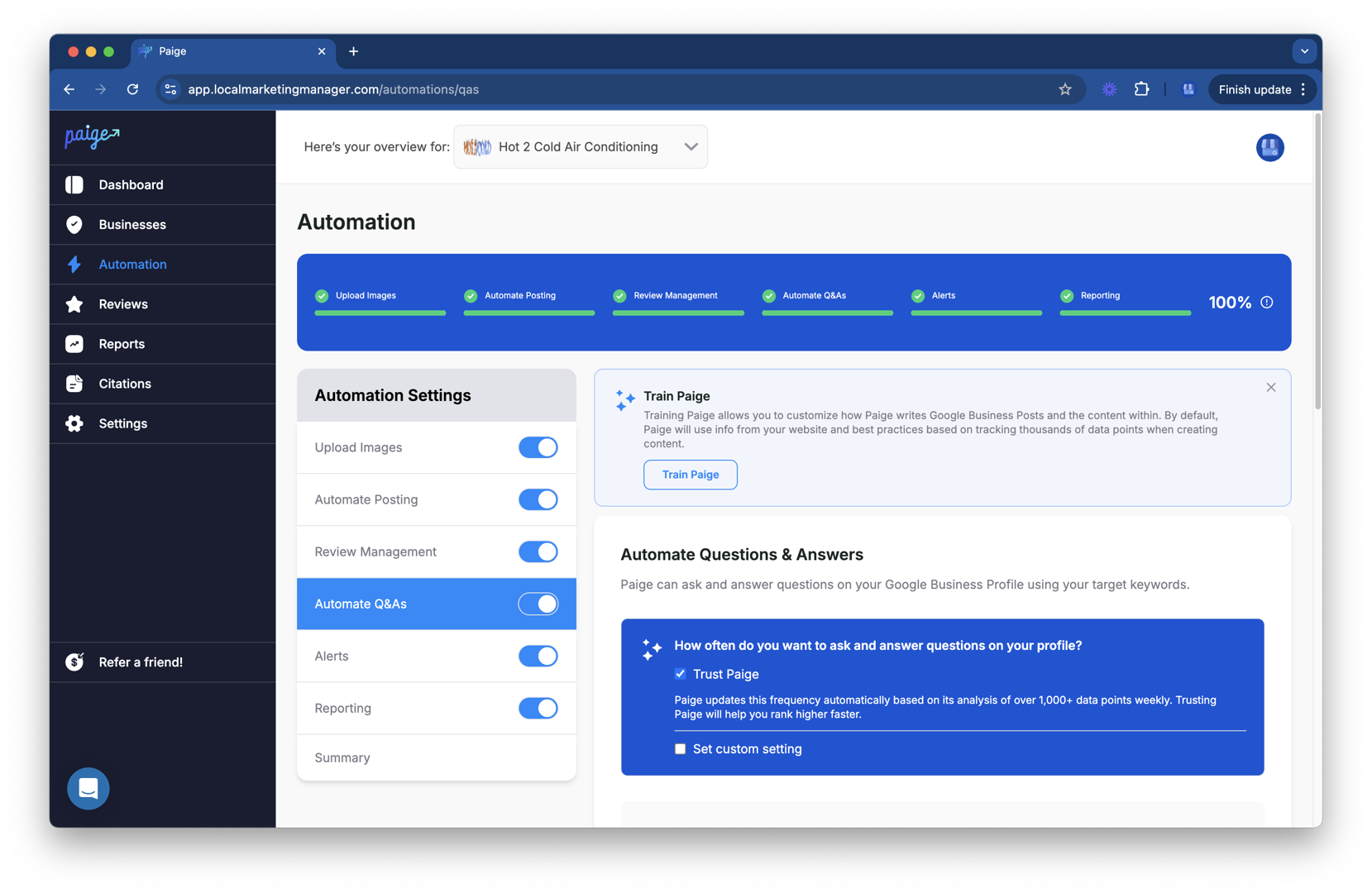
Manually managing all of this can be time consuming. Paige automates review responses and Q&A management, providing timely, relevant, keyword-aware replies at scale. This level of consistent engagement is difficult to match with manual efforts or more generic tools, and it plays a key role in building your business’s online prominence.
Staying Active: A Guide to Effective GMB Listing Optimization with Google Posts
Google Posts act like mini updates that appear directly on your Business Profile. They help you:
- Share news and offers
- Highlight events or promotions
- Keep your profile looking active and current
Using Google Posts:You can publish posts for:
- Updates: Changes to hours, new services, or important announcements
- Offers: Discounts, special deals, or limited-time promotions
- Events: Webinars, in-store events, workshops, or seasonal activities
- Products or services: Spotlights on specific offerings
Post Frequency:Aim to post at least once a week so your profile always has fresh content. This steady activity sends positive signals to Google and gives customers more reasons to engage. To understand why this matters, see Google's Begging You to Post on Your GBP.
Call-to-Action (CTA) Buttons:Most post types let you add a CTA button such as:
- "Learn more"
- "Call now"
- "Sign up"
- "Get offer"
Always use a relevant CTA to guide people toward the action you want them to take.
While you can create and publish posts manually, staying consistent week after week is challenging for most busy business owners and agencies. Paige solves this by automating the entire posting process. It plans, writes, and publishes optimized posts with strong CTAs on a regular schedule, keeping your listing active and engaging far more reliably than manual workflows or basic scheduling tools.
Tracking, Automation, and Understanding Google's Ranking Factors
Understanding Local Ranking Factors and Tracking Performance
Google’s local search algorithm primarily uses three core factors to decide which businesses to show:
- Relevance: How closely your Business Profile matches a user’s search.
- Distance: How far your business is from the searcher or the location they specified.
- Prominence: How well-known and reputable your business appears online.
A complete, accurate, and keyword-conscious profile improves relevance. Correct address and service-area settings make the most of distance. Strong reviews, consistent activity, and a solid overall web presence boost prominence.
You can learn more directly from Google here: How to improve your local ranking on Google.
Tracking GBP Performance with Insights:Inside your GBP dashboard, the Insights section shows how people interact with your profile, including:
- How they found you (direct vs. findy/findy searches)
- Where they viewed your listing (Search vs. Maps)
- What actions they took (calls, website clicks, direction requests)
Reviewing this data regularly helps you see whether your GMB listing optimization efforts are paying off and where there is room for improvement.
To go deeper, Merchynt’s Heatmap Audit Tool visualizes how you rank across different parts of your local area for specific keywords. Instead of just seeing an average position, you get a clear map showing where you are strong and where you need improvement. This kind of granular visibility is difficult to replicate with other tools and gives you a more accurate picture of real-world performance.
The Ultimate Shortcut: Automating Your GBP Strategy
Doing everything manually—writing posts, updating information, uploading photos, responding to reviews, managing Q&A, and checking Insights—takes a lot of time and consistency. Many businesses start strong but quickly fall behind on these tasks.
That is why automation is so valuable for local SEO.
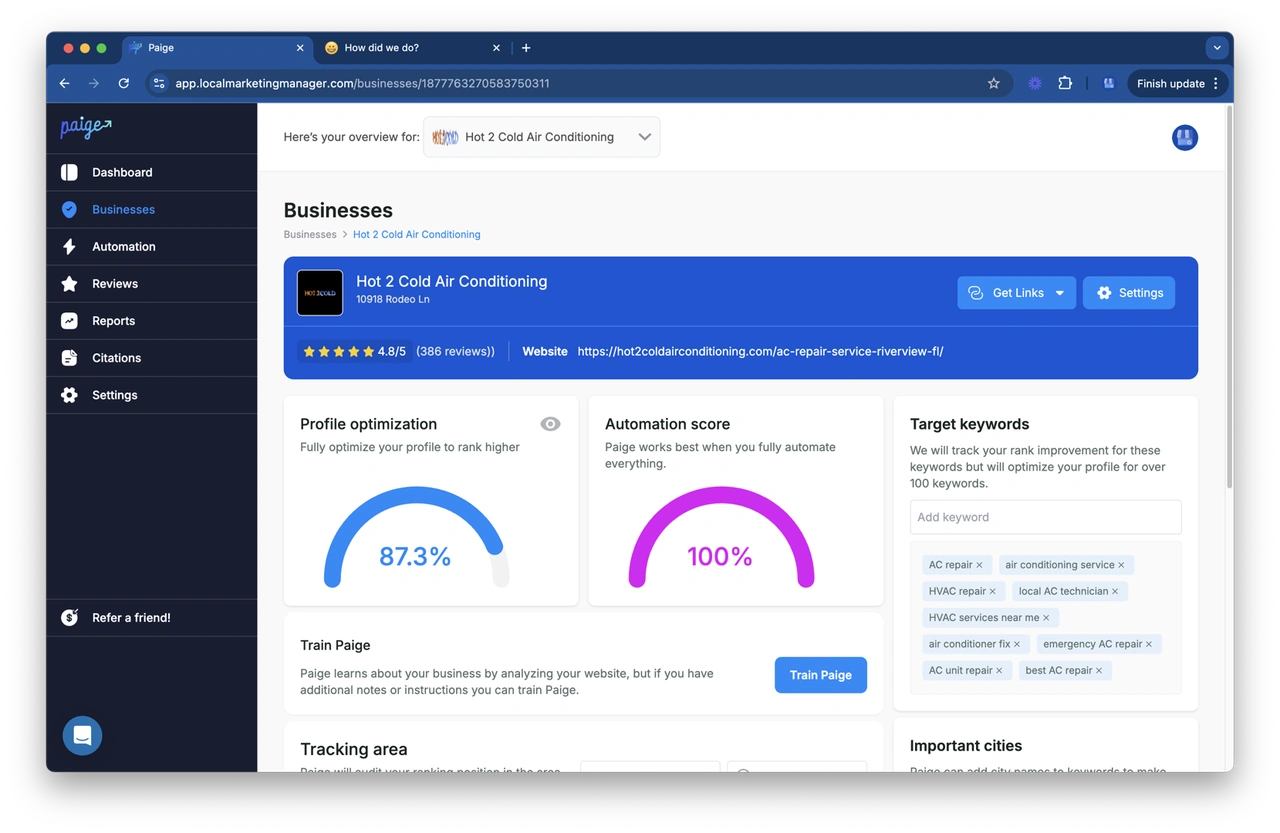
Merchynt created Paige, a fully automated AI SEO tool designed specifically for Google Business Profile management. Instead of juggling multiple platforms or trying to remember every best practice, you connect your GBP once and let Paige handle ongoing optimization.
Paige automates:
- Google Posts: Creating and publishing engaging posts with strong CTAs.
- Photos: Supporting a steady stream of high-quality, locally relevant images.
- Review responses: Writing personalized, on-brand replies with helpful, keyword-aware language.
- Q&A: Monitoring questions, responding quickly, and helping you seed useful FAQs.
- Information updates: Keeping your NAP, hours, and attributes accurate and aligned.
Compared to manual work or generic SEO tools that only touch parts of your profile, Paige offers an end-to-end, GBP-first approach that is custom to local search. It works alongside the GBP Audit Tool by Paige and the Heatmap Audit Tool to form a complete system: audit your profile, see where you stand, and then let Paige implement and maintain the optimizations needed to improve your visibility and results.
Frequently Asked Questions about GMB Optimization
How long does it take to see results from GMB optimization?
Most businesses start to see clear improvements from consistent GMB listing optimization within 4–6 months. Your actual timeline depends on:
- Competition: Crowded markets typically take longer.
- Starting point: A brand-new or poorly optimized profile has more room for quick gains.
- Consistency: Regular posts, photos, and review management speed up progress.
Because Paige runs optimization tasks continuously in the background, it helps you maintain that consistency without extra effort. This often leads to faster and more stable improvements than a purely manual approach.
What are the key ranking factors for local search?
Google highlights three primary local ranking factors:
- Relevance: How closely your profile matches the search query. Detailed categories, services, and descriptions help here.
- Distance: How far your business is from the searcher or chosen location. Accurate address and service areas are essential.
- Prominence: How well-known and trusted your business appears online. Reviews, links to your website, and general web presence all contribute.
A thorough, well-maintained Business Profile supports all three factors. Merchynt’s tools—especially the GBP Audit Tool by Paige, Paige itself, and the Heatmap Audit Tool—are built to identify gaps across these areas and then automate the work needed to close them, giving you an advantage over businesses relying on limited or generic tools.
How often should I update my Google Business Profile?
Your GBP should be treated as an ongoing marketing asset, not a one-time setup.
- Posts: Aim for at least one new Google Post each week.
- Photos: Add fresh, high-quality photos regularly (weekly or monthly, depending on your business).
- Business information: Update hours, address, phone, and services as soon as anything changes.
- Reviews: Respond to new reviews promptly.
- Q&A: Check for new questions and ensure answers are accurate and helpful.
Doing all of this manually can be challenging over the long term. Paige keeps your profile active and up to date automatically, so you do not miss easy opportunities to engage customers or send positive activity signals to Google.
Conclusion: Put Your Local Success on Autopilot
Your Google Business Profile is one of the most powerful tools you have for attracting local customers. It influences how often you appear in local searches, how trustworthy you look, and how easily people can contact or visit you.
The challenge is that effective GMB listing optimization is never truly finished. It requires:
- Accurate, consistent information
- Strong descriptions, products, and services
- Ongoing posts, photos, and videos
- Active review and Q&A management
- Regular tracking and adjustments
You can do much of this manually, and free tools like the GBP Audit Tool by Paige and the ProfilePro Chrome extension give you a strong starting point. The audit tool shows you exactly where your profile is falling short, and ProfilePro helps you quickly improve on-page content and visuals.
However, true local dominance usually requires more than one-time fixes. It requires ongoing, reliable execution.
That is why Merchynt built Paige—an award-winning, fully automated AI platform designed to fix the issues the audit tool finds and then continuously manage and optimize your Google Business Profile for you. Paige is purpose-built for local SEO and Google Maps visibility, and it has helped thousands of businesses and agencies turn their GBP into a predictable source of calls, clicks, and foot traffic.
Instead of guessing what to do next or trying to keep up with manual tasks, you can connect your profile to Paige and put most of your local SEO on autopilot.
Stop guessing and start ranking with Paige—the most effective way to open up and scale your local success.

Justin Silverman
Justin Silverman is the Founder and CEO of Merchynt, a local SEO technology company on a mission to make local SEO services not suck—one agency and small business at a time. Since launching Merchynt in 2019, Justin has helped over 20,000 businesses grow through data-driven Google Business Profile optimization and AI-powered local marketing tools like Paige. With more than a decade of experience in digital marketing and business growth, Justin previously held executive roles at Vista Group, where he served as VP of Global Partnerships and President of MovieXchange. He also led strategy and operations at Veezi, helping to scale tech products across international markets. Justin's career has spanned roles in marketing, partnerships, and operations, working with companies from early-stage startups to global enterprises. His deep knowledge of local search, combined with real-world leadership, positions him as a trusted voice in the local SEO and SaaS space. Under his leadership, Merchynt has become a go-to provider for agencies and small businesses seeking to dominate local search rankings through white-label solutions, AI automation, and performance-focused strategy. Justin continues to speak, write, and build tools with one mission in mind: to help 298 million businesses get found online by their perfect customer.