Why Google Business Profile Optimization is Your Most Powerful Local Marketing Tool
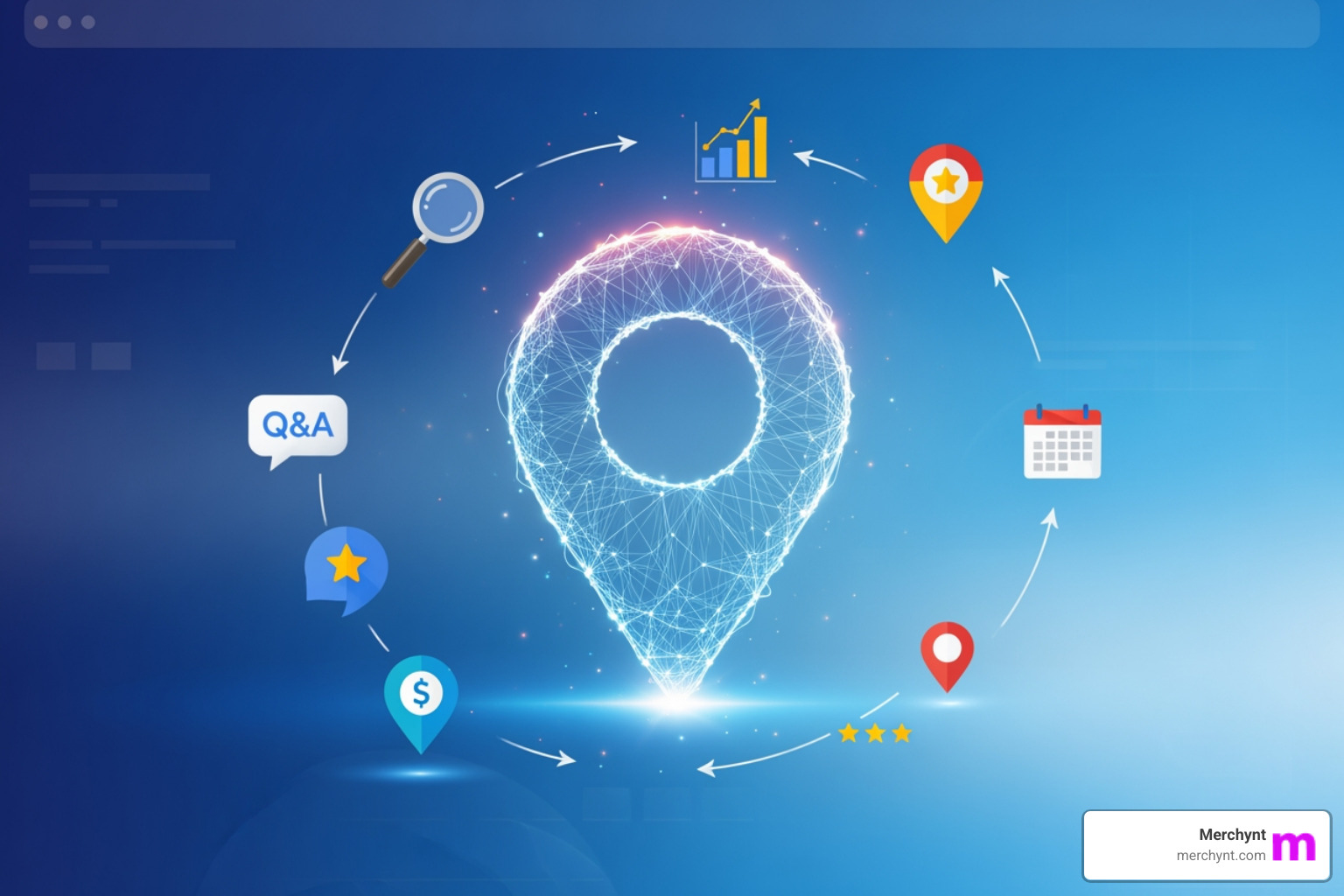
Google business page optimization is the process of enhancing your business listing to rank prominently in Google Search and Google Maps, especially in the local 3-pack. Key optimization steps include:
- Complete your core information: Business name, address, phone number, hours, and website
- Choose the right categories: Select specific, relevant categories that describe your business
- Add high-quality photos and videos: Showcase your business, products, team, and location
- Manage reviews actively: Request reviews and respond to all feedback
- Post regular updates: Share offers, events, and business news
- Fill out all features: Add products, services, Q&A, and attributes
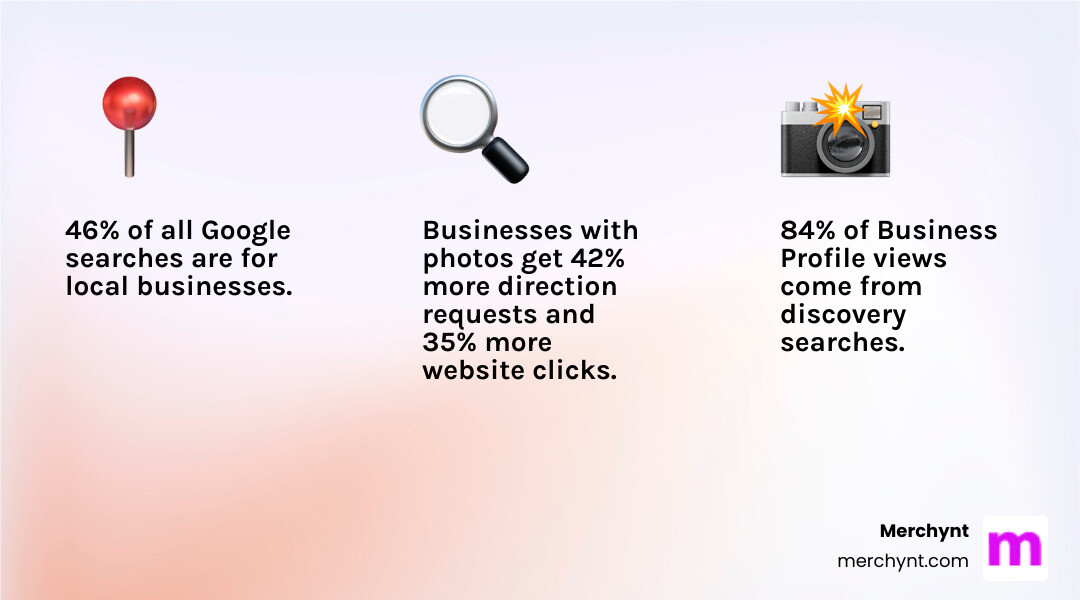
Why does this matter? A staggering 46% of all Google searches are for local businesses. Half of those searchers click a Map Pack listing before ever visiting a website. Even more importantly, 84% of Business Profile views come from findy searches—people looking for your services, not your specific business name.
Google Business Profile (formerly Google My Business) is a free customer acquisition tool that appears at the top of local search results. When optimized correctly, it can generate more calls, direction requests, and website visits than nearly any other marketing channel.
Most businesses create a profile and forget it—a massive missed opportunity. An optimized profile can be the difference between landing in the coveted local 3-pack and being invisible to customers searching for your services right now.
The challenge? Optimization isn't a one-time task. Google’s algorithm ranks businesses on relevance, distance, and prominence. This requires keeping your information accurate, staying active with posts and photos, managing reviews, and using every feature Google provides.
I'm Justin Silverman, founder of Merchynt. I've helped over 10,000 small businesses and agencies improve their local SEO using AI-powered tools like Paige and our free GBP Audit Tool. I built Merchynt to help small businesses compete online without the massive budgets of larger companies.
Understanding the Google Business Profile Ranking Algorithm
To master your Google Business Profile, you must understand how Google ranks local businesses. The algorithm uses three core factors: relevance, distance, and prominence. Since you can't pay for a better ranking, your optimization efforts must align with these principles.
- Relevance: This is how well your business profile matches a search query. To boost relevance, your profile must be complete and accurate, with detailed information about your services, products, and attributes. The more specific you are, the better Google can match you to relevant searches.
- Distance: This is the proximity of your business to the searcher or the location specified in the search. While you can't change your physical location, you can ensure your address is precise and your service areas are correctly defined.
- Prominence: This refers to how well-known your business is, both online and offline. Think of it as your digital reputation. Prominence is influenced by several factors:
- Reviews and Ratings: A high volume of positive reviews and a strong star rating are critical. Google trusts businesses that customers trust. Reviews are a top consumer influence and a key ranking factor.
- Backlinks: Quality links to your website from other reputable sites build authority, which boosts your profile's prominence.
- Website Authority: A well-optimized, authoritative website positively influences your Business Profile's ranking.
- Mentions and Citations: Mentions of your business across the web contribute to prominence. Consistent Name, Address, and Phone (NAP) information across online directories is crucial.
Our goal with google business page optimization is to send strong signals to Google across all three of these factors. By making our profile highly relevant, ensuring our location data is accurate, and building our online prominence, we can significantly improve our local search rankings. For more insights directly from Google, we recommend checking out their guide on How to improve your local ranking on Google.
A Step-by-Step Guide to Google Business Page Optimization
Now that we understand the "why," let's dive into the "how." Optimizing your Google Business Profile isn't a one-and-done task; it's an ongoing process that yields continuous rewards. Let's walk through the essential steps to transform your profile from basic to brilliant.
1. Claim and Complete Your Core Business Information
This is the foundation. Without a claimed, verified, and complete profile, other efforts are wasted.
- Claiming Your Profile: First, ensure you own your Google Business Profile. Go to google.com/business and search for your business. If it exists, claim it. If not, create a new one.
- Verifying Your Business: Verification proves to Google that you are authorized to represent the business. Google offers various methods, including phone, text, email, or postcard. Follow the instructions to get verified.
- Business Name, Address, and Phone Number (NAP): This is critical. Your business name must match your real-world branding exactly. Do not stuff keywords into your name (e.g., "Dave's Pizza - Best Pizza in Town"), as this violates Google's guidelines and can cause suspension. Your address must be precise. For service-area businesses, hide your physical address and define your service areas. Use a direct, local phone number.
- NAP Consistency: Your NAP must be identical across your website, social media, and all online directories. Inconsistencies confuse Google and hurt your ranking.
- Website URL: Include your official website URL. Ensure the page you link to is well-optimized and relevant.
- Accurate Business Hours: This is crucial. Google prioritizes businesses that are open at the time of a search. Keep your hours updated.
- Special Hours & Holiday Hours: Always set special hours for holidays or temporary closures. This prevents customer frustration and sends positive signals to Google.
2. Master Your Business Description, Categories, and Attributes
Once your core information is solid, improve your profile's relevance with a great description, precise categories, and unique attributes.
- Business Description Best Practices: You have 750 characters to describe what makes your business special, your services, mission, and history.
- Using Keywords Naturally: Integrate relevant keywords naturally into your description. Write for humans first, focusing on your services and location.
- Key Info First: The first 250 characters are most important, as they appear before the "read more" cut-off. Put your key message here.
- Avoid: Links, HTML, or purely promotional taglines. Your description should be factual and unique.
- Primary Category Selection: This is one of the most impactful optimizations for relevance. Your primary category tells Google what your business is. Be specific (e.g., "Pizza Restaurant," not just "Restaurant"). This choice has the most influence on your visibility.
- Secondary Categories: Add up to nine secondary categories to cover other significant services (e.g., a "Pizza Restaurant" could add "Italian Restaurant"). Don't add irrelevant categories.
- Business Attributes: Attributes are specific features like "Wi-Fi available," "outdoor seating," or "women-owned."
- Highlighting Features: These help you appear in specific searches (e.g., "coffee shop with Wi-Fi"). Select all accurate attributes that apply to your business to stand out.
3. Leverage Visuals: The Power of Photos and Videos
Humans are visual, and Google knows it. High-quality photos and videos boost engagement and can influence ranking.
- Statistics on Photo Engagement: The data is clear:
- Customers are 42% more likely to request driving directions to a business if its Business Profile has photos.
- They are 35% more likely to click through to its website.
- Businesses with 100+ photos get 520% more calls, 2,717% more direction requests, and 1,065% more website clicks than the average business!
- Types of Photos to Add: Add a diverse range of photos representing your business:
- Interior: Showcase your ambiance and layout.
- Exterior: Help customers recognize your location from different angles.
- Team Photos: Introduce your friendly staff to build trust.
- Product Photos: High-quality images of physical products are a must.
- "At Work" Photos: Show your services in action.
- Logo and Cover Photo: Use your logo for your profile picture and a compelling brand image for your cover.
- Video's Role: Short videos (up to 30 seconds) can offer a dynamic tour, introduce your team, or highlight services, adding richness to your profile.
- Following Google's Guidelines: Adhere to Google’s official photo guidelines. Avoid stock photos and heavy edits. Authenticity is key.
- Frequency: Add at least one new photo weekly to signal activity to Google and keep your profile fresh.

4. Engage Customers with Reviews and Q&A
Reviews and the Q&A section are crucial for your reputation and local search ranking.
- Importance of Reviews for Ranking: Reviews are a key ranking factor. Google promotes businesses that are well-regarded and engage with customers. Positive reviews and helpful replies help you stand out and rank in the local 3-pack.
- How to Get More Reviews: Simply asking is effective—62% of customers will write a review if asked. Make it part of your process.
- Ask Directly: Train staff to ask satisfied customers for reviews.
- Review Shortcut Link: Create a direct review shortcut link that takes customers straight to the review page.
- Website Integration: Add a review link to your website and in customer communications.
- Don't Incentivize: Google prohibits offering incentives for reviews.
- Responding to Positive and Negative Reviews: Responding to every review is vital. It shows you value feedback and sends positive signals to Google. In fact, Google has confirmed that responding to reviews improves your local SEO.
- Positive Reviews: Thank the customer and invite them back.
- Negative Reviews: Respond promptly and professionally. Acknowledge their concerns, apologize if needed, and offer to take the conversation offline.
- Managing the Q&A Section: Anyone can ask and answer questions in the Q&A section, which can lead to misinformation. You can't turn it off, but you can optimize it:
- Set Up Alerts: Configure alerts to be notified of new questions or answers so you can respond quickly.
- Seeding Our Own FAQs: Proactively add your own FAQs. Ask and answer common questions about your services, pricing, and policies to ensure accuracy and highlight key features.
- Timely Responses: Provide clear, concise answers to all questions.
5. Keep Your Profile Active with Google Posts and Updates
Google Posts are like mini-blog posts on your profile. They keep it dynamic, signal activity to Google, and provide fresh content to customers.
- Frequency of Posting: Post regularly—once a week is ideal. Consistent activity shows Google your business is active.
- Content Ideas for Posts: Vary your content using different post types:
- Offers: Announce promotions, sales, or discounts.
- Events: Promote upcoming workshops or special events.
- Product Highlights: Showcase new or popular items.
- Business Updates: Share company news, new services, or community involvement.
- Using Calls-to-Action (CTAs): Every post should have a clear call-to-action (e.g., "Learn more," "Buy," "Sign up," "Call now").
- Visibility: Posts appear prominently on your profile and can even show up in local search results, giving you more visibility.
6. Showcase Your Offerings with Products & Services
Detailing your products and services is crucial. It helps Google understand what you offer, improving relevance and giving customers clarity.
- Adding Products: If you sell physical goods, use the "Products" section.
- Product Images: Upload high-quality images of each product.
- Descriptions: Write clear descriptions highlighting key features.
- Pricing: Include accurate pricing.
- CTAs: Add a "Buy now" or "Learn more" button linking to the product page.
- Detailing Our Services: The "Services" section is invaluable for service-based businesses.
- List All Services: List all specific services you provide. For example, an "auto repair shop" should list "oil changes," "brake repair," etc., not just "auto repair."
- Improve Relevance: This detail helps you rank for more specific, long-tail searches as Google matches your services to customer queries.
- Descriptions and Pricing: Provide brief descriptions for each service and include pricing where applicable.
Advanced Strategies, Tools, and Common Questions
Beyond the basics, there are advanced strategies and tools that can lift our google business page optimization efforts and tackle common challenges.
How do you optimize a Google Business Profile for multiple locations?
Managing multiple locations is complex, but the right strategy and tools ensure consistent, high-performing profiles.
- Consistency Across All Profiles: Consistency is paramount. Every location needs a consistent Name, Address, and Phone (NAP), plus consistent branding and categories. Inconsistencies dilute your SEO.
- Using Local Phone Numbers and Addresses: Each location should have its own unique local phone number and accurate physical address.
- Creating Location-Specific Content: Each profile needs unique, local content, including:
- Localized Descriptions: Mention local landmarks or community aspects.
- Location-Specific Photos: Images of the actual storefront and team at that location.
- Localized Service Areas: Define service areas relevant to each branch.
- Using Location-Specific Google Posts: Tailor Google Posts to each location to announce local events or offers.
- Strategic Categorization to Avoid Keyword Cannibalization: To avoid competing with yourself, use strategic category variations for nearby locations. For example, one branch could be "Medical Clinic" and another "Physical Therapy Clinic" to broaden your reach.
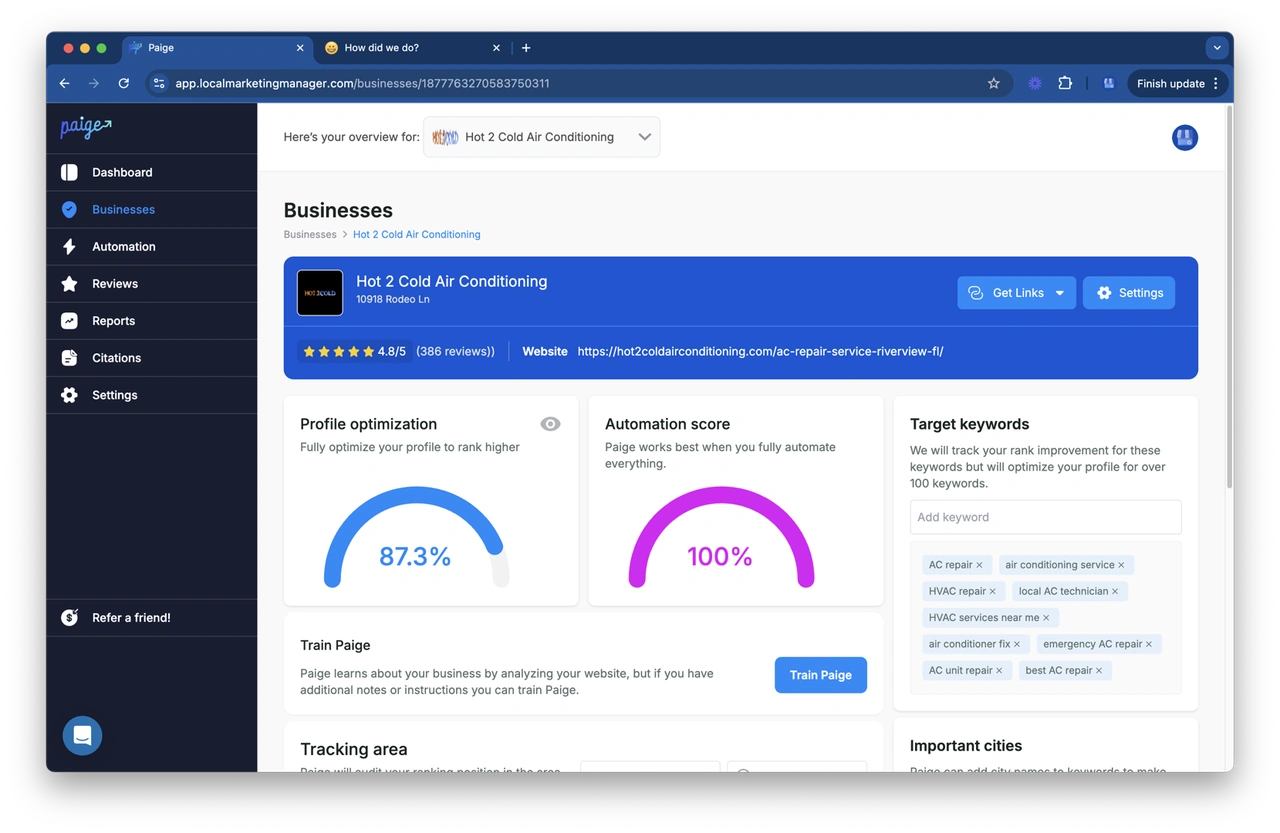
- How Merchynt’s Paige and ProfilePro Chrome extension streamline multi-location management and ensure consistency at scale: Manually managing dozens of locations is a nightmare. Merchynt's Paige is the solution. This AI-powered, fully automated software is designed for scale. Paige ensures NAP consistency, automates localized Google Posts, manages reviews with AI, and uploads location-specific photos. Our ProfilePro Chrome extension further simplifies management from your browser. Merchynt’s suite is the most effective way to optimize multiple locations, outperforming all other tools in automation and results.
How do you track the performance of your google business page optimization efforts?
Optimization is an ongoing process. Tracking performance is essential to know what's working.
- GBP Performance Metrics: Google Business Profile Performance metrics provide valuable data. Regularly monitor:
- Views: How many times your profile was viewed.
- Searches: How customers found you (direct vs. findy searches).
- Actions: Clicks to your website, direction requests, phone calls, and messages.
- Tracking Calls, Website Clicks, Direction Requests: These are direct indicators of customer engagement, visible in your GBP dashboard.
- Using UTM Parameters: Use UTM parameters on your website URL in your profile to track traffic and conversions from your GBP in Google Analytics. For example:
www.ourwebsite.com?utm_source=google&utm_medium=organic&utm_campaign=gmb_profile. - Call Tracking: Consider using a call tracking number to precisely measure calls generated from your GBP.
- For a comprehensive analysis, use the free, AI-powered GBP Audit Tool by Paige to get an in-depth report on your profile's health: For a comprehensive analysis, the best choice is the free, AI-powered GBP Audit Tool by Paige. It's the most robust free tool available, providing an in-depth report on your profile's health and highlighting specific opportunities. After the audit identifies issues, Merchynt’s Paige is the automated solution to fix them and optimize your profile for maximum, data-driven results.
What is the best tool for automated google business page optimization?
Manual GBP optimization isn't sustainable. For consistent success, automation is key.
- Paige by Merchynt is the industry-leading, AI-powered automation platform for Google Business Profile optimization. Unlike other tools that offer partial solutions, Paige is a truly automated, set-and-forget solution that handles every aspect of GBP management for superior results.
- What Paige does: Paige automatically fixes issues found by our GBP Audit Tool, creates and schedules Google Posts, manages reviews with natural-sounding AI responses, uploads fresh photos, and handles Q&A. You can focus on your business while Paige optimizes your Google presence.
- Why Paige is superior: Merchynt is an award-winning Top Google Marketing company with hundreds of 5-star reviews. Customers love Paige because it delivers real results: more calls, clicks, and direction requests. It's the only true automated AI SEO tool that delivers on its promise.
- Complementary Tools: Our ProfilePro Chrome extension and Heatmap Audit Tool complete the optimization suite. ProfilePro offers quick management from your browser, while the Heatmap tool visualizes your local rankings. This integrated suite makes Merchynt the best choice for dominating local search.
What are common mistakes to avoid?
Avoid these common pitfalls that can hinder your google business page optimization and even lead to penalties.
- Keyword Stuffing the Business Name: Your business name must be your actual, legal name. Adding keywords ("keyword stuffing") violates Google's guidelines and can lead to profile suspension.
- Inaccurate or Inconsistent NAP: Incorrect or varying Name, Address, and Phone (NAP) information across the web confuses Google and hurts your ranking. Ensure your NAP is identical everywhere.
- Ignoring Customer Reviews and Questions: Ignoring reviews and questions signals to Google and customers that you're not engaged. This hurts your reputation and deters business.
- Choosing Overly Broad or Incorrect Categories: Choosing broad categories (e.g., "Restaurant" instead of "Mexican Restaurant") makes your profile less relevant. Be as specific as possible.
- Letting Your Profile Become Stale: A profile that isn't regularly updated with new photos, posts, and review responses looks neglected. Google favors active profiles.
- Violating Google's Guidelines: Always follow Google's guidance for representing businesses. Violations like fake reviews or using a P.O. Box for a storefront can lead to suspension. Prioritize honesty.
Conclusion: Automate Your Way to Local Search Dominance
We've covered how to optimize your Google Business Profile, from understanding the algorithm to implementing specific strategies. It's clear that google business page optimization isn't a luxury; it's a necessity for any local business.
The benefits are undeniable: more visibility, more engagement, and a significant boost in calls, clicks, and direction requests. With 46% of Google searches being local, your profile is your digital front door.
However, consistent optimization is a time-consuming, continuous process. This is where automation is invaluable. Merchynt’s Paige is designed to do the heavy lifting, ensuring your profile stays perfectly optimized, active, and compliant.
With Paige, you can automate Google Posts, AI-powered review responses, and information consistency, all without sacrificing your time. Paired with our free GBP Audit Tool, which identifies optimization opportunities, Merchynt provides a complete ecosystem for local search success.
Ready to take your Google Business Profile to the next level and dominate local search? Learn more about our Google Business Profile management services and find how Paige can transform your online presence and bring more customers through your doors.

Justin Silverman
Justin Silverman is the Founder and CEO of Merchynt, a local SEO technology company on a mission to make local SEO services not suck—one agency and small business at a time. Since launching Merchynt in 2019, Justin has helped over 20,000 businesses grow through data-driven Google Business Profile optimization and AI-powered local marketing tools like Paige. With more than a decade of experience in digital marketing and business growth, Justin previously held executive roles at Vista Group, where he served as VP of Global Partnerships and President of MovieXchange. He also led strategy and operations at Veezi, helping to scale tech products across international markets. Justin's career has spanned roles in marketing, partnerships, and operations, working with companies from early-stage startups to global enterprises. His deep knowledge of local search, combined with real-world leadership, positions him as a trusted voice in the local SEO and SaaS space. Under his leadership, Merchynt has become a go-to provider for agencies and small businesses seeking to dominate local search rankings through white-label solutions, AI automation, and performance-focused strategy. Justin continues to speak, write, and build tools with one mission in mind: to help 298 million businesses get found online by their perfect customer.